nddldownload
Download videos, streams and subtitles — just paste a link.
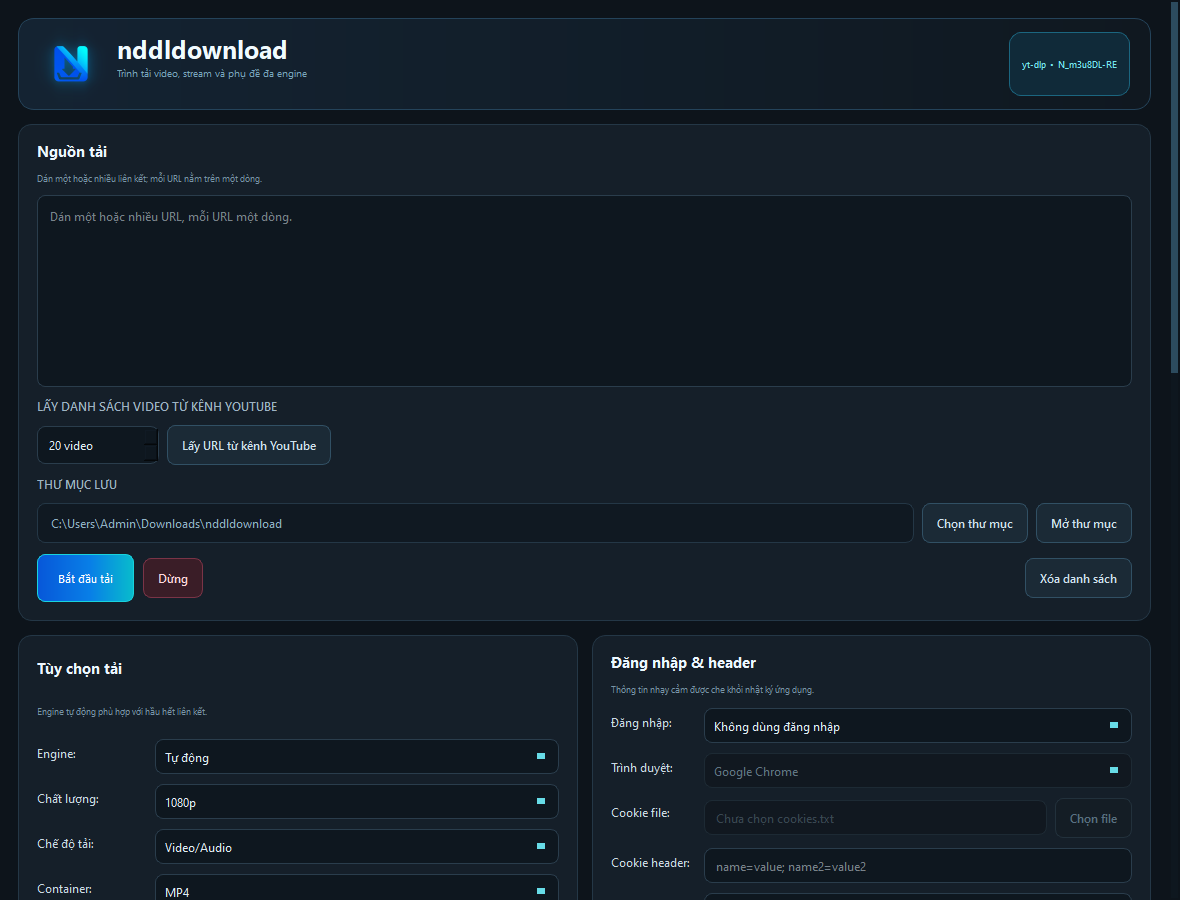
A lightweight Windows app that picks the right engine for every link. Supports multi-URL queues, playlists, livestreams, audio extraction and multilingual subtitles.
- Platform
- Windows 10/11 (64-bit)
- Version
- 1.0.0
- Category
- Downloads & Media
Features
Everything you need to download.
Automatic engine
Detects web pages, playlists and M3U8/MPD/ISM manifests and picks the right download engine. Override it manually anytime.
Multi-URL queue
Paste many links, one per line. They download in order, and you can stop at any time.
Grab a YouTube channel
Paste a channel link, choose Videos or Shorts, sort by Popular / Newest / Oldest and set how many.
Audio only
Export MP3, M4A, Opus, FLAC, WAV or keep the original, at 128–320 kbps.
Multilingual subtitles
Manual or auto-generated subtitles as SRT/VTT/ASS/TXT/MD — embedded in the video or as separate files.
Record livestreams
Record for a set number of minutes or without limit. YouTube Live can be grabbed from the start.
Parallel downloads
Run several downloads side by side, each with its own video or audio mode.
Private by design
Cookies and headers are masked in the log, and your login data is never stored.
Getting started
Up and running in 4 steps.
- 1
Download the zip, extract it and open nddldownload.exe.
- 2
Copy the Machine ID shown in the Activation dialog and send it via WhatsApp.
- 3
Paste the license key you receive and click Activate.
- 4
Paste a link, choose a folder and hit Download.
Pricing
Pick your plan.
1 year
Flexible, renew when you need
1.000.000đ$50
/ year / 1 PC
- ✓All features included
- ✓Free updates during your term
- ✓Renewal reminder 14 days ahead
- ✓Direct support via WhatsApp
Lifetime
Pay once, use forever
2.500.000đ$129
/ one-time / 1 PC
- ✓All features included
- ✓Free lifetime updates
- ✓No renewals, ever
- ✓Priority support via WhatsApp
System requirements
- •Windows 10 or Windows 11, 64-bit
- •About 400 MB of free disk space
- •Internet connection
- •No Python or extra tools needed — everything is bundled
Questions before buying?
📞 +84 988 104 466Frequently asked questions
How many PCs can I use a key on? +
Each key is tied to one computer's Machine ID. If you switch PCs, send the new Machine ID and you'll get a new key.
Should I pick 1 year or Lifetime? +
If you plan to use it for 3 years or more, Lifetime is the better deal: pay once, free updates forever, no renewals.
How do I pay? +
Message us on WhatsApp with your Machine ID and chosen plan. International customers pay in USD. Your key is sent right after payment is received.
What happens when it expires? +
The app reminds you 14 days ahead. Renewing early never loses days — the new term starts from your old expiry date.
Will reinstalling Windows break my license? +
Reinstalling Windows usually changes the Machine ID. Just send us the new one and we'll reissue your key.